Minimum Distance Point-Surface
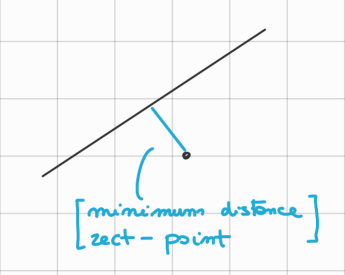
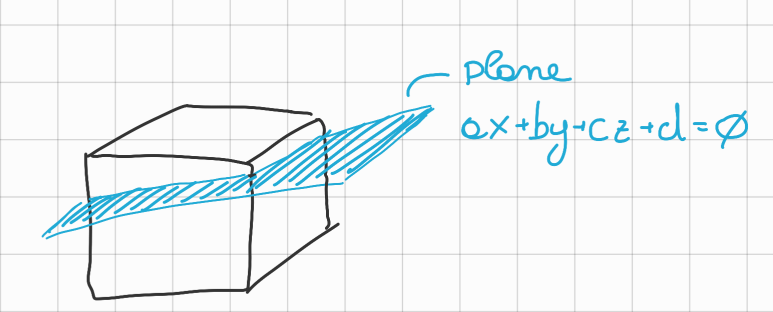
It’s easy to know if you are “in” or “out” of a single plane
- Knowing your position (: avatar) or (: haptic point), and the formula of the plane: we can calculate:
and define as “in” if the result is or “out” if the result is .
Algorithm
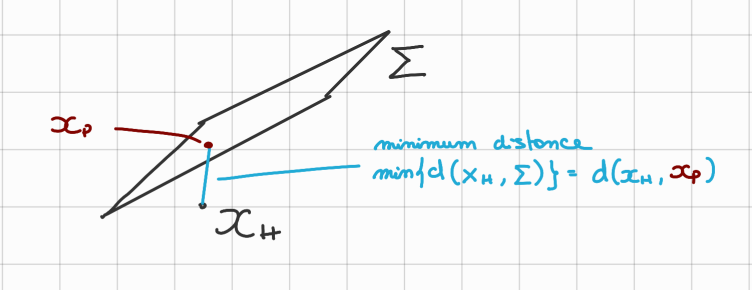
Given haptic point (same as just a different name):
the minimum distance from the place ( can be computed as the distance of from (: proxy) where is defined as the projection of onto .
Optimization Problem
We can also see this as an optimization problem:
Then:
→ We can reformulate the problem as searching for:
Being vectors and we can write:
And also we rewrite the constraint: , () as:
Then the problem becomes:
Lagrangian Approach:
Using the HCR - Lagrangian Theorem we can rewrite the problem as:
and search for its minimum, so:
Then we have:
So, with a bit of substitutions we obtain:
Triangular Meshes
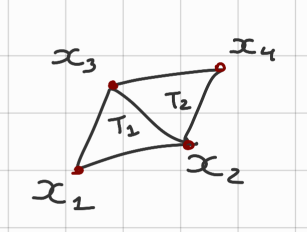
We can create a plane with 3 points (~ex.: : triangle 1, formed by )
- So given the triangle we can use the previous formula to calculate the minimum distance from .
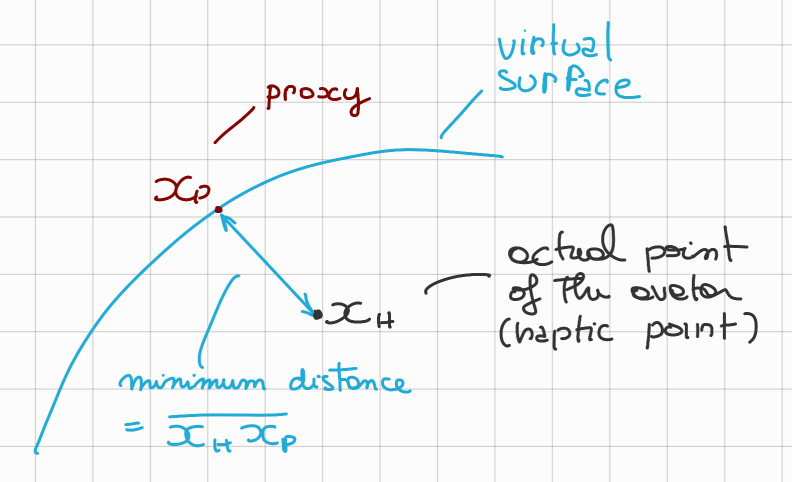
So I can receive an haptic feedback proportional to the distance
- For a smooth object there are no problem with this approach.
Spigolar Objects
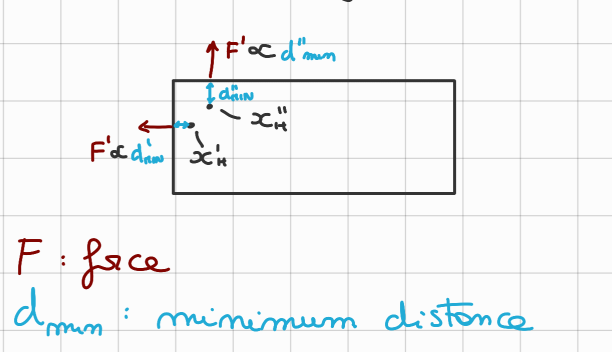
Notice how for a small displacement of the direction of the Force changes drastically.
Proxy Algorithm
- IDEA: Remember where you entered from.
-
In case of collision, for the first time @ (→ ) we compute the normal proxy and we take the tangent circle for the proxy given a small radius (in the figure below )
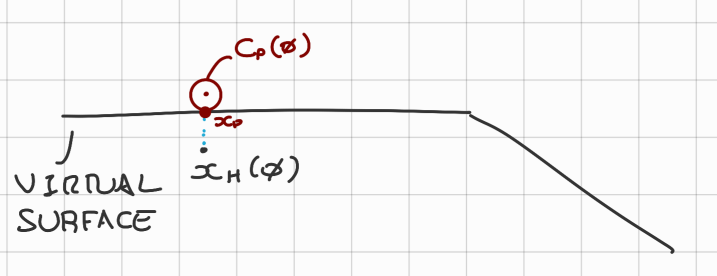
-
Then given the haptic point @ → we find which triangle in my triangular mesh is “ACTIVE” The ACTIVE triangle is the one that intersect the segment
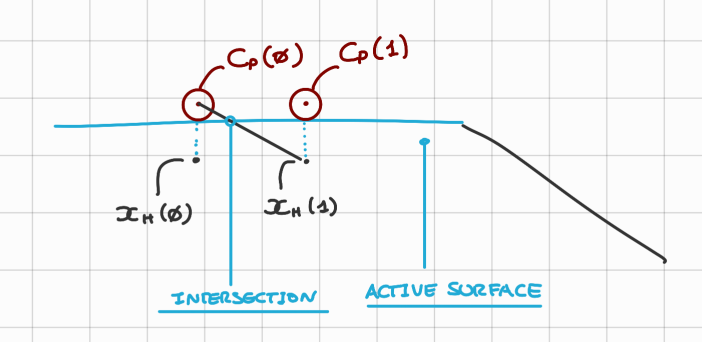
Let’s see how this proxy algorithm changes things:
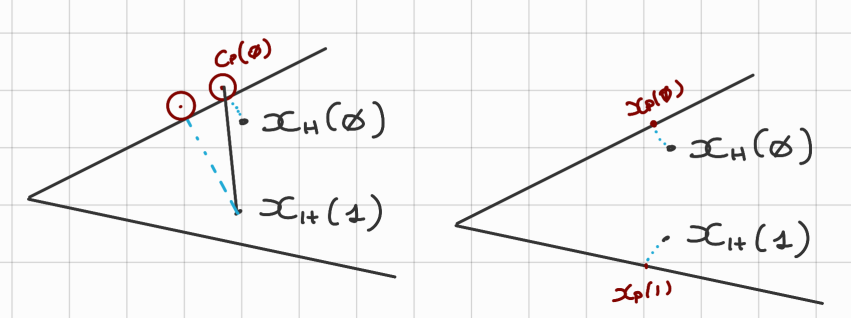
- In the new case the proxy cannot change triangle so easily, so it results in a more smooth experience.
How do we change triangle with the new algorithm?
Let’s take for example the following passages:
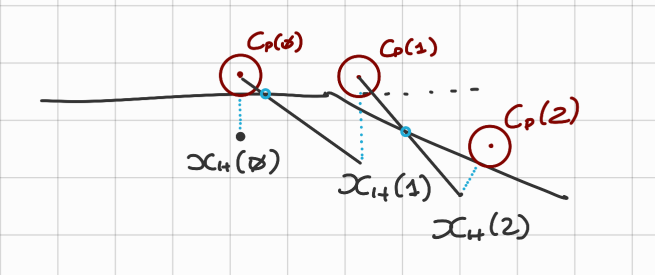
As we can see there is a small error for but it’s accepted. And for we have indeed changed triangle, now the second triangle is active.
Friction Cone
A way to visualize friction
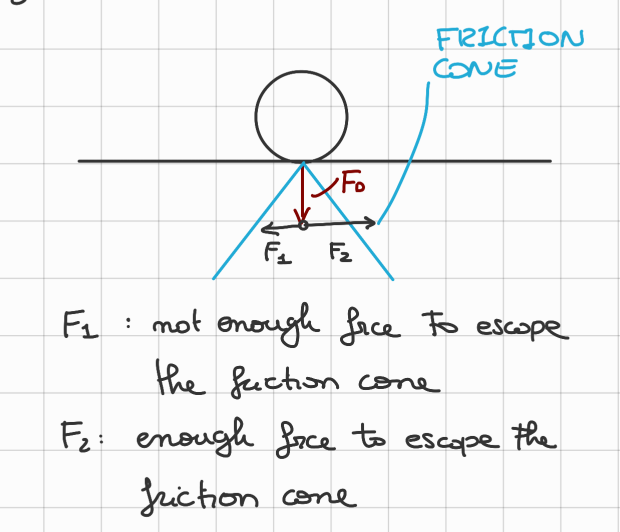
The friction cone depends on the (Force Down-ward) and the friction coefficient.
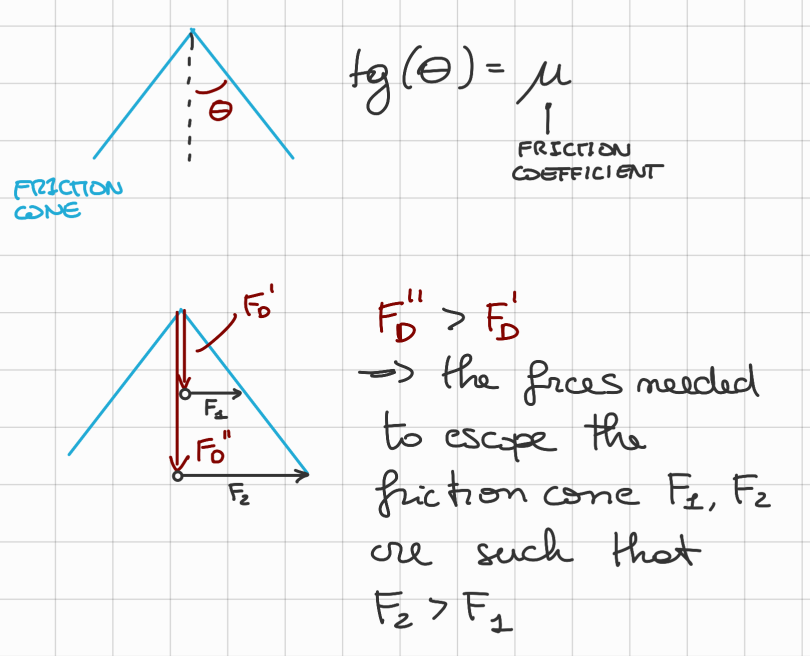
Proxy Algorithm with Friction Cones:
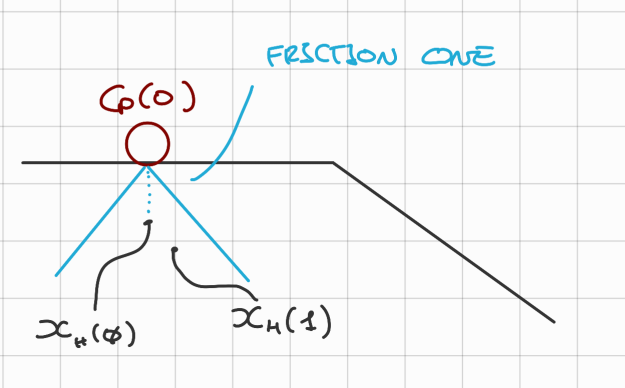
If C_p(k)$ then:
- The proxy does not move.
Static and Kinematic Friction
Each material interaction has 2 friction coefficients one static () and one kinematic (), the first is to break the stacity and the second to determine the friction force that slows down the motion.
~ Example: wood on wood: , glass on glass: , sky on dry snow: ,
When the object is moving and (usually true) we approximate the static friction coefficient to 0, so we do not need to calculate it, so