HCR - Minimum Distance Point-Surface
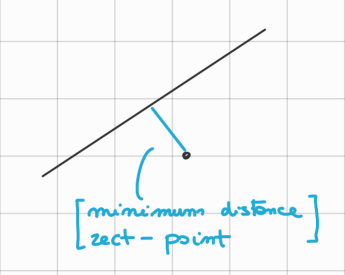
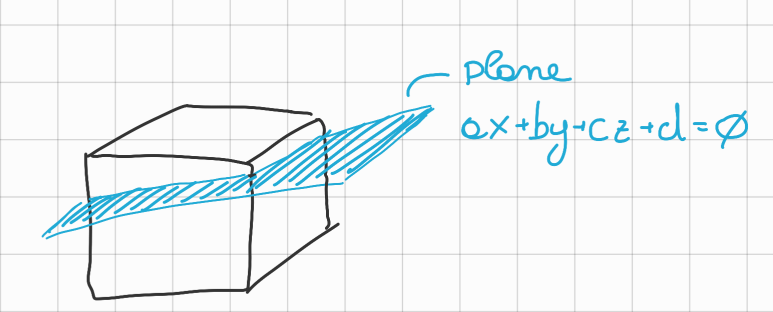
It’s easy to know if you are “in” or “out” of a single plane
- Knowing your position (: avatar) or (: haptic point), and the formula of the plane: we can calculate:
and define as “in” if the result is or “out” if the result is .
Link to original
HCR - Algorithm for Minimum Distance from Surface
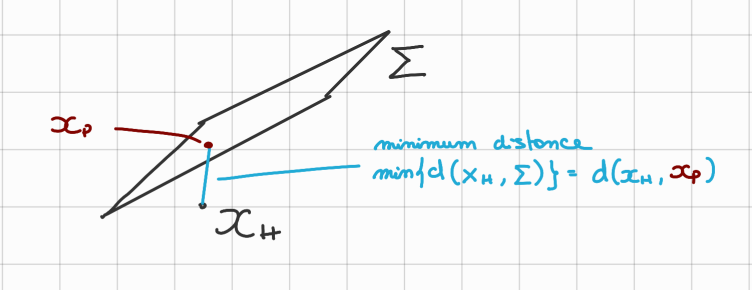
Given haptic point (same as just a different name):
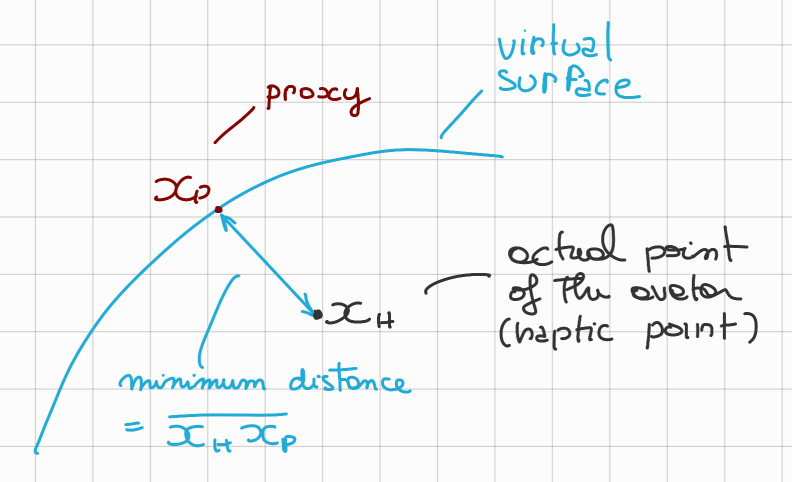
the minimum distance from the place ( can be computed as the distance of from (: proxy) where is defined as the projection of onto .
Link to original
HCR - Optimization Problem
We can also see this as an optimization problem:
Then:
→ We can reformulate the problem as searching for:
Being vectors and we can write:
And also we rewrite the constraint: , () as:
Then the problem becomes:
Lagrangian Approach:
Using the HCR - Lagrangian Theorem we can rewrite the problem as:
and search for its minimum, so:
Then we have:
So, with a bit of substitutions we obtain:
Link to original
HCR - Proxy Point for Triangular Meshes
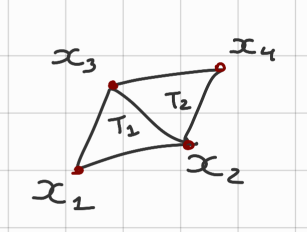
We can create a plane with 3 points (~ex.: : triangle 1, formed by )
- So given the triangle we can use the previous formula to calculate the minimum distance from .
So I can receive an haptic feedback proportional to the distance
Link to original
- For a smooth object there are no problem with this approach.
HCR - Proxy Algorithm
- Edgy object (Oggetto spigoloso):
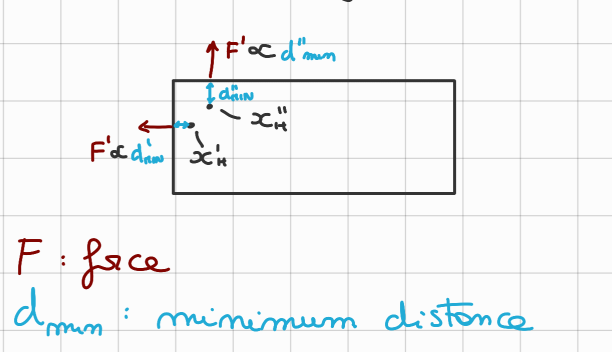
- Notice how for a small displacement of the direction of the Force changes drastically.
- Proxy algorithm:
- IDEA: Remember where you entered from.
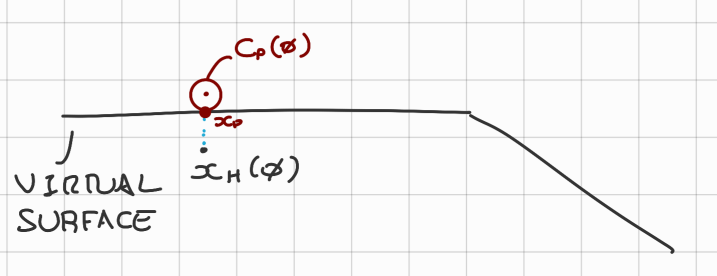
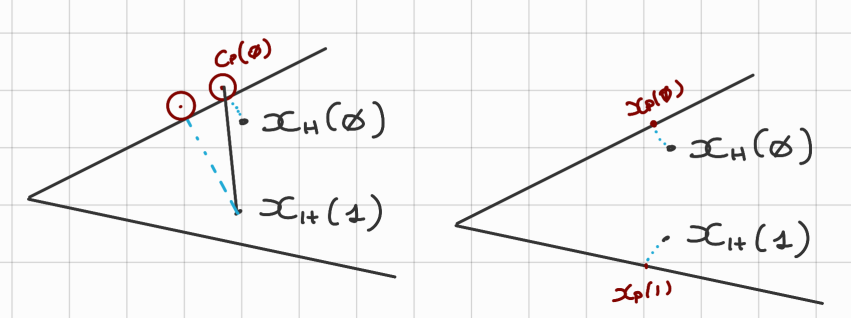
- In case of collision, for the first time @ (→ ) we compute the normal proxy and we take the tangent circle for the proxy given a small radius (in the figure below ):
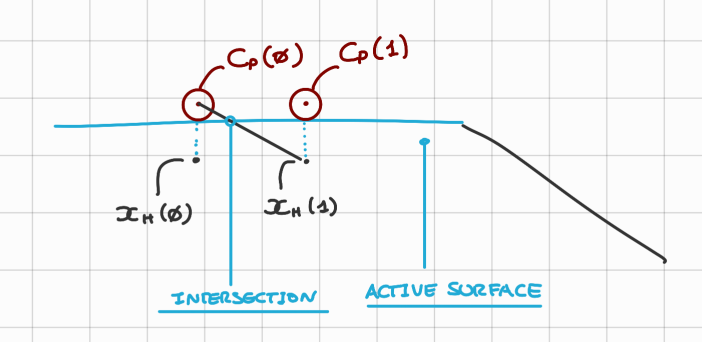
- Then given the haptic point @ → we find which triangle in my triangular mesh is “ACTIVE”.
The ACTIVE triangle is the one that intersect the segment
- Let’s see how this proxy algorithm changes things:
- In the new case the proxy cannot change triangle so easily, so it results in a more smooth experience.
Link to original
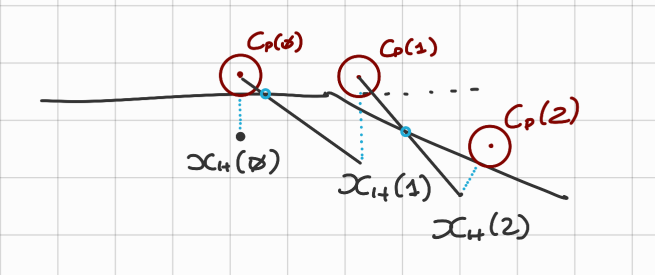
- How do we change triangle with the new algorithm?
- Let’s take for example the following passages:
- As we can see there is a small error for but it’s accepted.
- And for we have indeed changed triangle, now the second triangle is active.
HCR - Friction Cone
==A way to visualize friction==
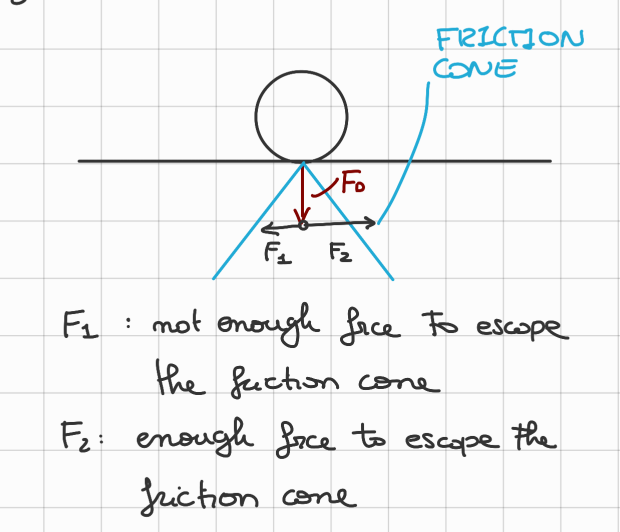
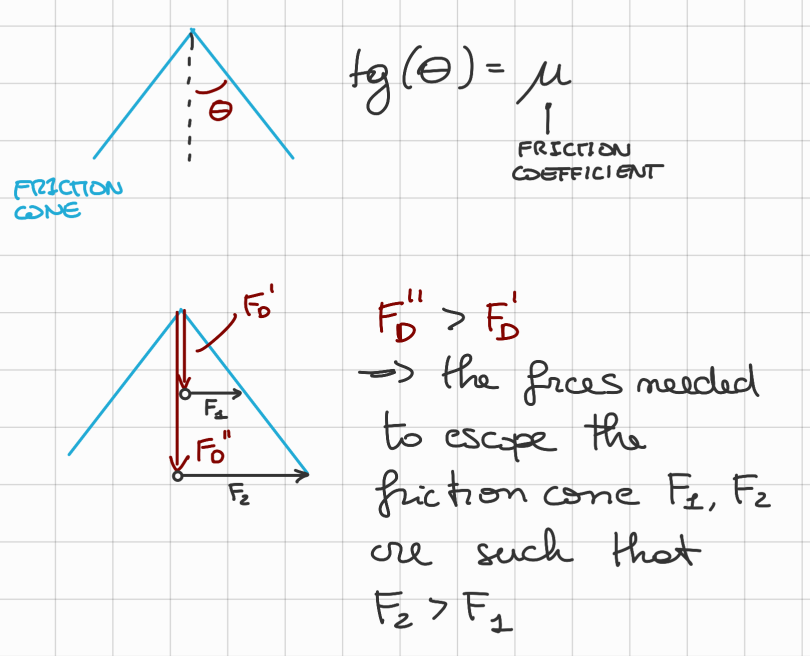
The friction cone depends on the (Force Down-ward) and the friction coefficient.
- Friction Cone:
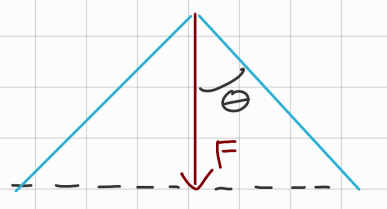
- Where:(The friction coefficent () is specific for each pair of object interaction)
- A force that want to break the friction is applied as shown:
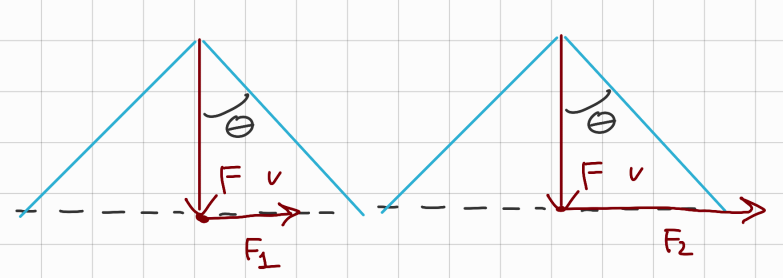
- is too small to break friction (the object doesn’t move).
- is big enough (the object begins to move).
- Graphically is inside the friction cone.
While is outside the friction cone- Knowing where the friction cone is, and how big it is, is extremely crucial, because if i want to apply force to the object without it slipping out (break friction) i need to apply all the forces such that they stay inside the friction cones.
Link to original
- ~Ex.: Position of the friction cones
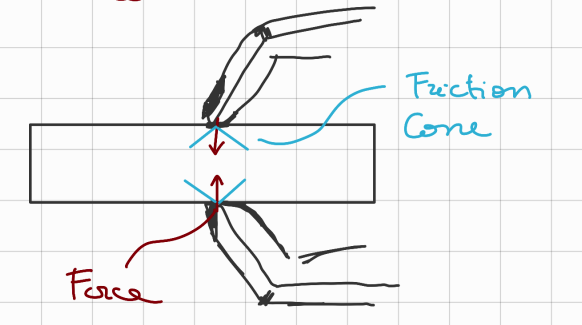
- Suppose we have this object:
- Let’s see how the position of the friction cones is useful.
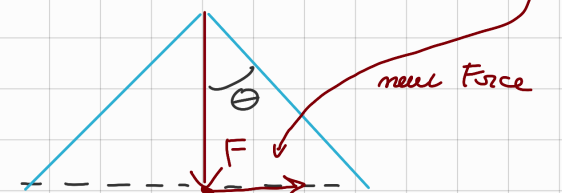
I apply to the previous object 3 forces: , resulting in this 3 friction cones:- Take now an opposite force that tries to break friction.
It is clear that where i apply the previous 3 forces changes the intensity of the Force needed to break friction:
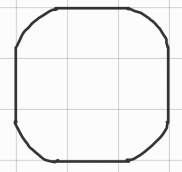
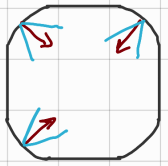
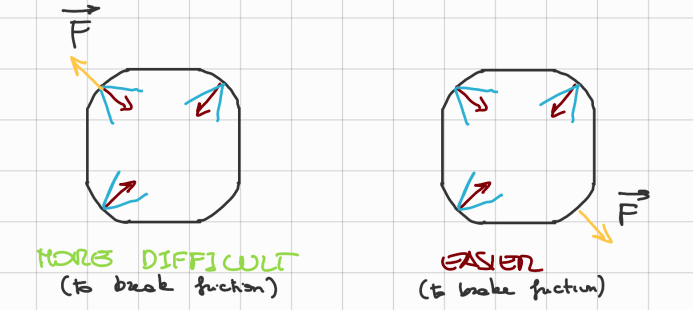
HCR - Proxy Algorithm with Friction Cones
If doesn’t escape the friction cone of then:Meaning that the proxy does not move.
Link to original
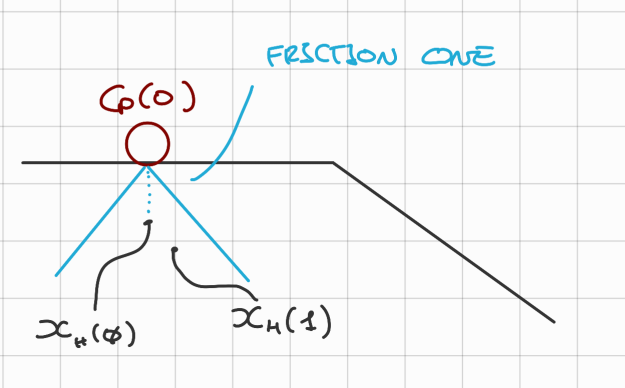
HCR - Static and Kinematic Friction
Each material interaction has 2 friction coefficients:
- One static ().
- and one kinematic (),
The static friction coefficient is used to break the stacity (so when the object is still), while the second one is used to determine the friction force that slows down the motion.
Link to original
- ~Example:
- Wood on wood: ,
- Glass on glass: ,
- Ski on dry snow: ,
- When the object is moving and (usually true) we approximate the static friction coefficient to 0, so we do not need to calculate it.
- Basically when we define the friction cone, the angle is equal to:And it depends if the grasp is static or if the object is sliding in the hand.