Video to understand the differences of K-NN, Parzen Window Classifiers and what Kernels are.
Differences of K-NN and Parzen Window Classifier:
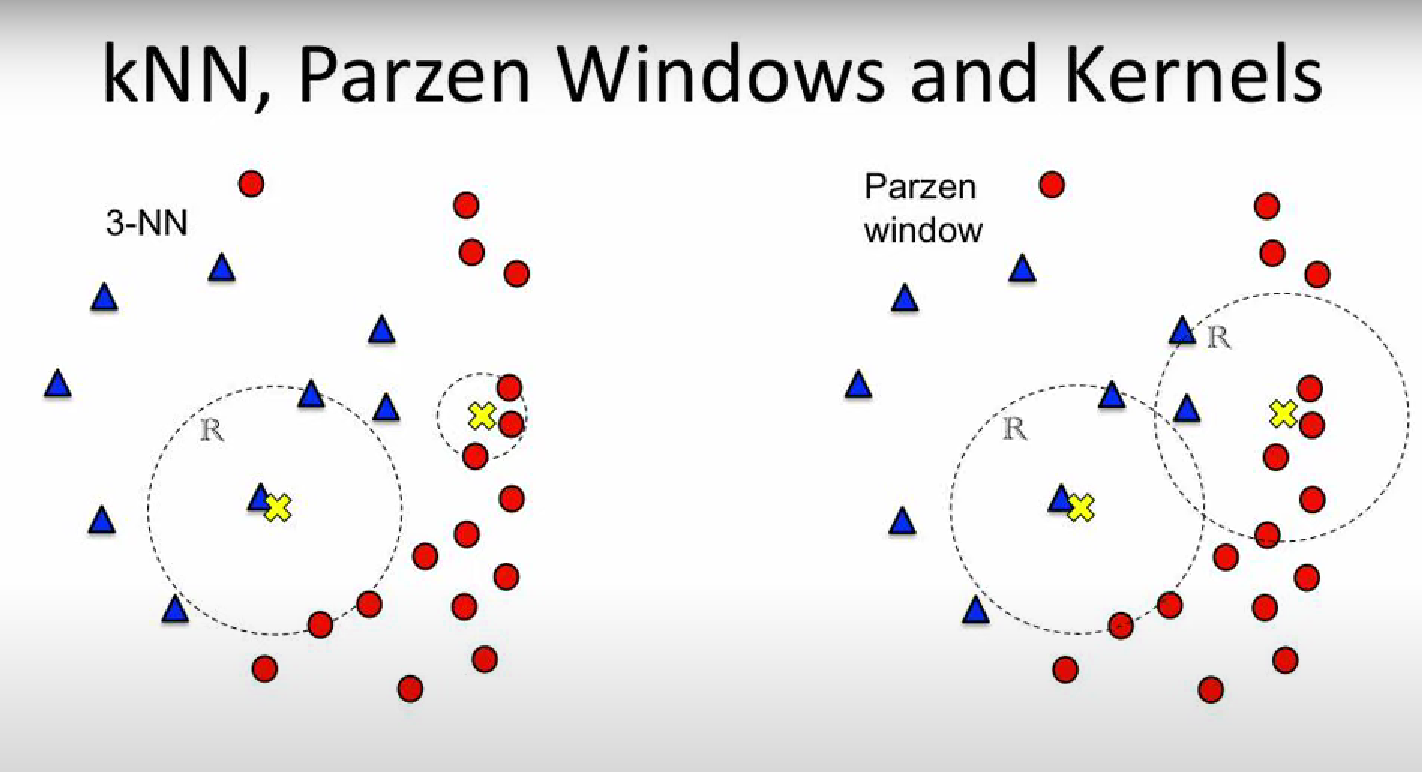
- K-NN (K-Nearest Neighbour) has fixed number of points and we calculate the size of the window In the example both window of the 3-NN have 3 data points inside them, one region is larger the other is smaller.
- Parzen Window: has a fixed window size and we count the number of data points inside the window. In the example both window of the Parzen Window have the same size, one has more data points inside them, the other has less.
NOTE: Both Parzen Window and K-NN are methods for a PROBABILITY CLASSIFIER.
Kernel:
As we can see from the next image, it’s unfair to classify based on a “step” function:
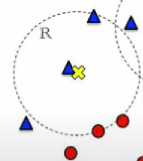 We classify this class (the yellow X) as 100% blue, because 2 blue dot are inside it and a red dot is just a little out of the region, so it’s presence is not considered during the classification.
⇒ To solve this problem we introduce the KERNELs
We classify this class (the yellow X) as 100% blue, because 2 blue dot are inside it and a red dot is just a little out of the region, so it’s presence is not considered during the classification.
⇒ To solve this problem we introduce the KERNELs
Using the normal K-NN and Parzen Window Classifier we use a step function, saying that if you are inside the region “your vote” counts as , as we can see in this other example:
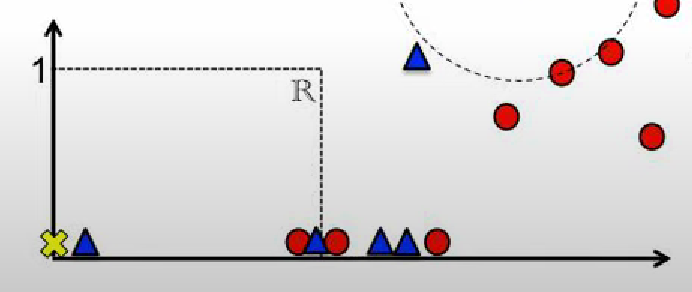 In this example the class has a of being blue and of being red, not too fair.
Let’s see the difference if we use a Kernel:
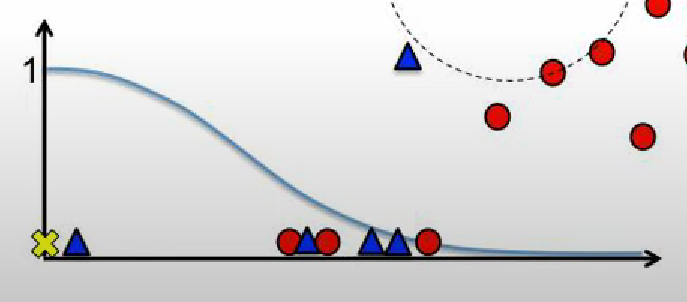 This way the closer you are from the center, the more you count, the farther away you are the less you count, but you still count.
NOTE: In practice the Kernel is a function. It usually takes in input the center of the Region and a data point, it gives out the “filtered” weight of that particular data point.