A “Phantom” is a block of MiniHTML that we can inject into the flow of the document, either in line, in between characters on the line, or in between line moves themselves.
You can even interact with them.
Example of a Phantom:
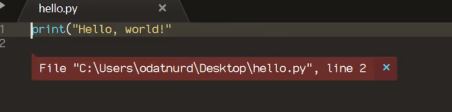
Or you can do even this:
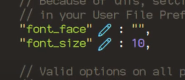
~ Code Example
import sublime, sublime_plugin

class HelloWorldEventListener(sublime_plugin.EventListener):
    def on_post_save(self, view):
        #print("---- on_post_save ----")
        view.add_phantom(
            "test",
            view.sel()[0],
            'Hello World<a href=hide>' + chr(0x00D7) + '</a>',
            0,
            on_navigate = lambda href: view.erase_phantoms("test")
)- This Code will print:
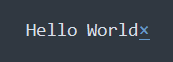 Into the code when pressed
 Ctrl + S - The “x” will delete all “test” phantoms
NOTE: Phantoms are unchangeable, but can be deleted whit
BackspaceorCanc